Environment variables and secrets
Real apps talk to outside services, and those services hand you API keys and other secrets that must never end up in your code. Instroc gives every project a place to store these values safely and makes them available to your app's server-side code. This page shows where environment variables live, how the environments work, and how your app reads them.
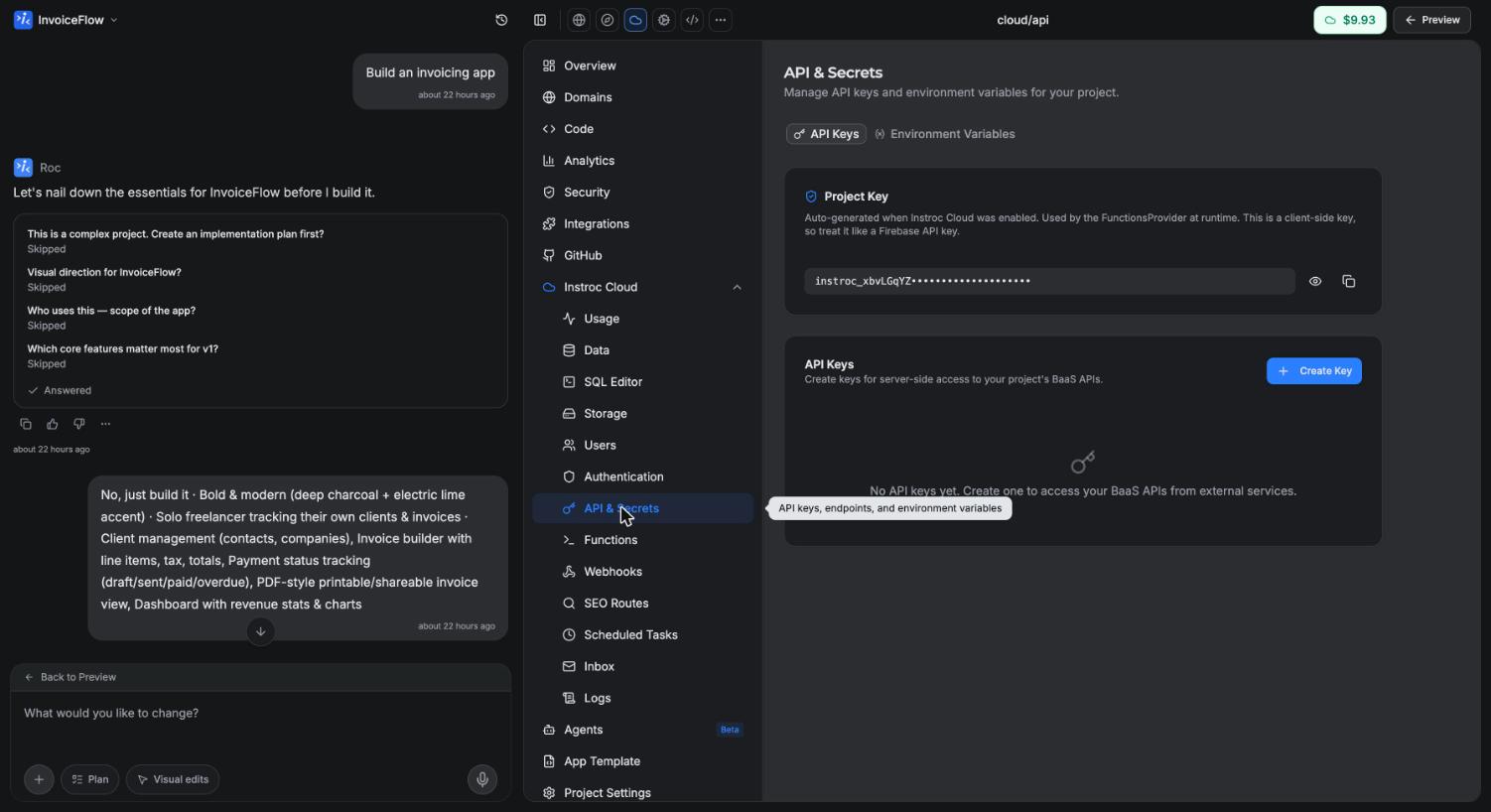
Where to find them
In your project's workspace, open Instroc Cloud and go to API & Secrets, then Environment Variables. This panel is the single home for every secret your app needs: third-party API keys, tokens, configuration values, anything you would rather not hardcode.
If your project does not have Cloud enabled yet, one click on Enable Cloud sets up the full backend, including this panel. See the backend overview for what else comes with it.
Environments
Variables are grouped into three environments: Production, Staging, and Development. This lets you keep separate values for separate contexts, for example a test API key while you are building and a live key for your published app. Pick the environment you want at the top of the panel before adding or editing values.
Adding variables
There are two ways to add values.
Add Variable creates one variable at a time. Give it a name and a value, and it is stored encrypted on the server.
Import .env File is the faster route when you are bringing several values over from another project. Paste in the contents of a standard .env file and each line becomes a variable.
You can also just ask Roc. Saying something like "set STRIPE_WEBHOOK_SECRET to whsec_..." in chat stores the variable for you, so you never need to leave the conversation.
How your app uses them
Environment variables are available to your app's server-side code: API routes and custom functions. Inside a route or function, they appear on the context object as ctx.env.
// /api/report.ts
export async function POST(ctx) {
  const apiKey = ctx.env.WEATHER_API_KEY;

  const res = await fetch("https://api.example.com/report", {
    headers: { Authorization: `Bearer ${apiKey}` },
  });

  return { ok: res.ok };
}
Values are never exposed to the browser. Frontend code cannot read them, they are not bundled into your published app, and there is no prefix convention that makes a variable public. If your frontend needs something from a secret-protected service, put the call in an API route and have the frontend fetch that route instead.
API keys
The same panel manages your project's API keys, which are different from environment variables.
The project key is a safe, publishable client-side key. It identifies your project when the browser talks to your backend and is injected automatically, so you never handle it yourself. It grants nothing beyond what your security rules already allow, which is why it is safe to expose.
Server keys are for trusted code running outside your app, for example a script on your laptop or another backend calling your project's HTTP API. You can create server keys in this panel and revoke any key that leaks or is no longer needed. Treat server keys like passwords: store them as environment variables in whatever system uses them, never in code.
Good practices
A few habits keep your secrets safe.
Never hardcode secrets in code. Anything written into a source file can end up in a download, a repository, or the browser bundle. The pre-publish Security Check scans for exposed secrets and will block publishing when it finds them, but the right fix is to store the value here in the first place.
Keep environments separate. Use test keys in Development and Staging, and real keys only in Production. That way an experiment can never charge a real card or email a real customer.
Rotate when in doubt. If you suspect a key leaked, revoke it with the provider, create a fresh one, and update the variable. Your next build picks up the new value.
Let integrations carry their own keys. Services like Stripe, Resend, and OpenAI connect through the Integrations panel, which stores their credentials for you. Environment variables are for everything else, such as a service Instroc does not integrate directly.